Online Co-Working Space for Remote Teams
Kino Live is a workplace that stays open all day — with personal spaces, live presence, and natural conversation. Everything remote teams have been missing between the chats and the video calls.
How Kino Live Works
Three steps to transform your remote team into a connected, productive workspace.

Create Your Workspace
Set up your online office in minutes. Customize Spaces for different teams, projects, and workflows.

Invite Your Team
Team members join and see each other in real time. Assign roles, manage permissions, and organize your org.

Work Together, Naturally
Collaborate as if you're in the same room. Drop into Spaces, start conversations, and stay connected all day.
It's not another virtual office.
It's an online co-working space.
Most virtual office software gives you an empty room and a meeting link. Kino Live gives you a workplace that stays open all day — with live presence, natural conversation, and the feeling of actually being together.
The difference isn't the technology. It's the experience. A virtual workspace built around tasks keeps people apart. An always-on online co-working space keeps people together.
- Real-time presence — see who's in, who's focusing, who's free
- Spatial audio — proximity-based conversation, just like an office
- Always-on — the office is open when you are, no meeting link needed
- One platform for remote, hybrid, in-office, and field teams
A persistent room you log in and out of. Presence is passive — people join calls.
An always-on online co-working space — people are present all day, conversations start naturally, no links required.
A shared digital environment, usually centered on files and tasks.
A living, spatial workspace where you move between rooms, see who's around, and talk the moment it matters.
Everything Your Remote Team Needs
From real-time presence to enterprise security — one workspace for your entire distributed team.
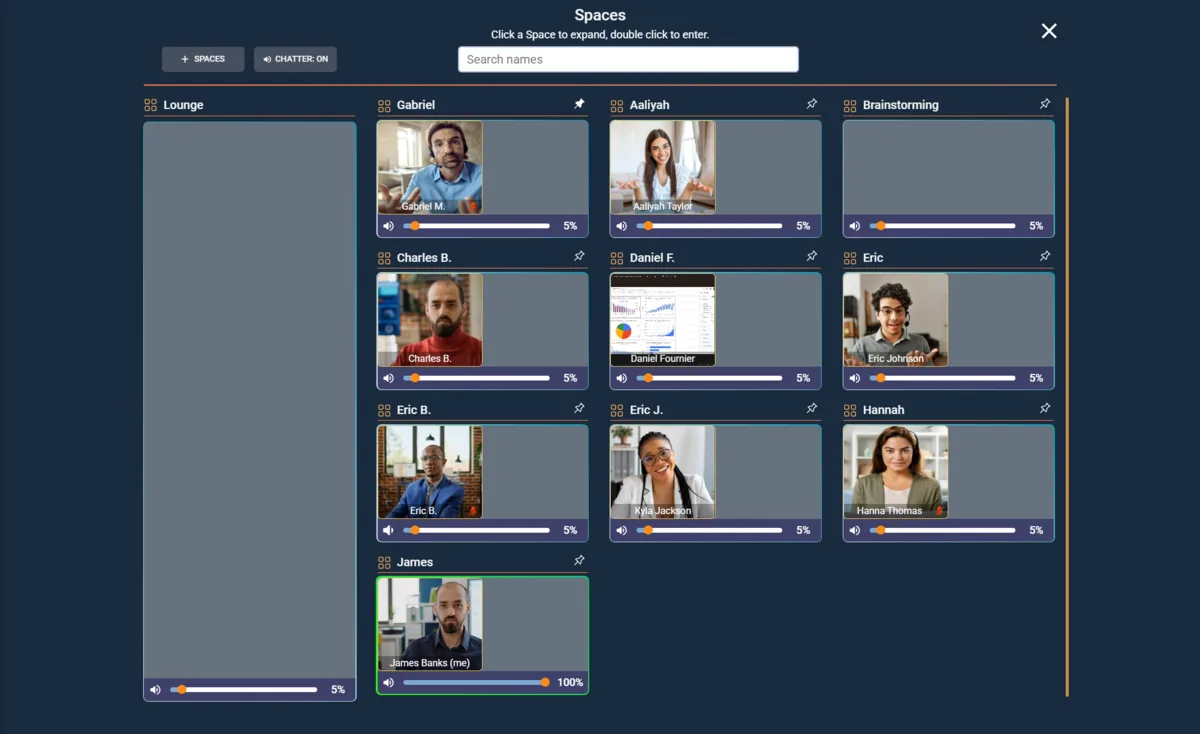
A Workspace That’s Always Open
Your team works side-by-side in a persistent environment — no meeting links, no scheduling. Open the room and everyone is already there.
- Shared workspace environments
- Private rooms for focused work
- Ambient background presence
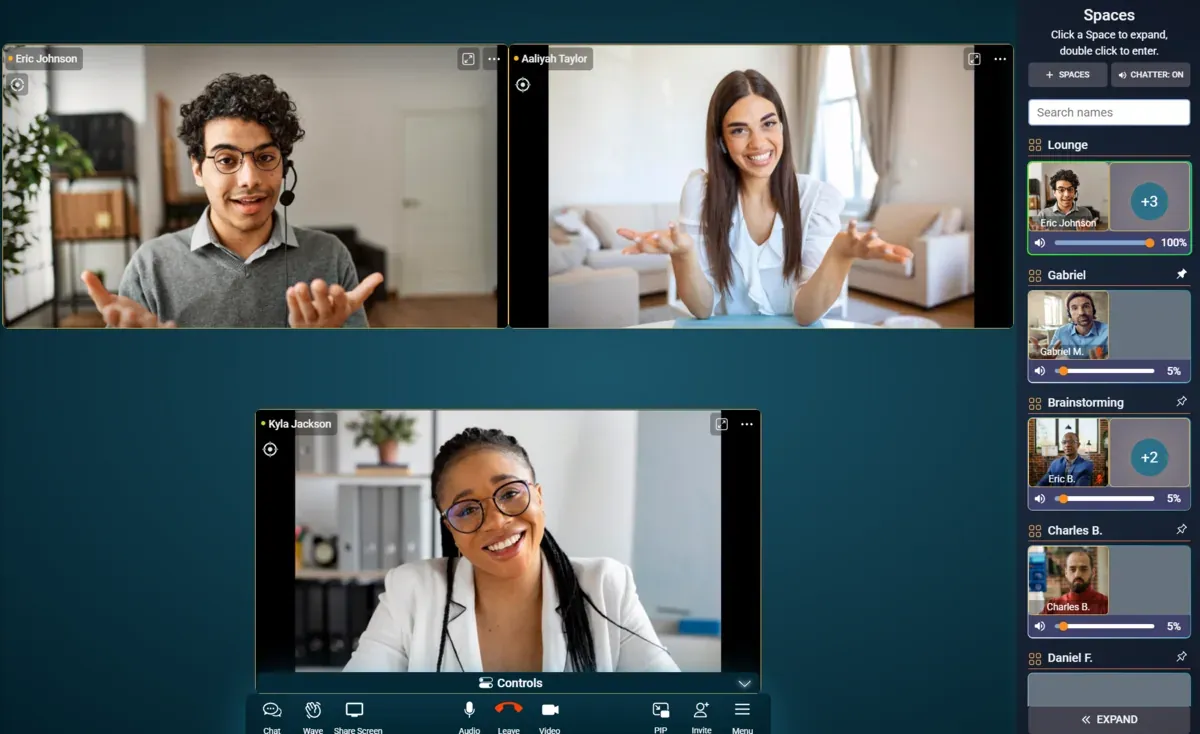
Talk Like You’re in the Same Room
Start conversations naturally. Voice, video, and chat live inside the same workspace — just walk over instead of dialing in.
- Instant voice drop-in
- Integrated chat per room
- No meeting fatigue
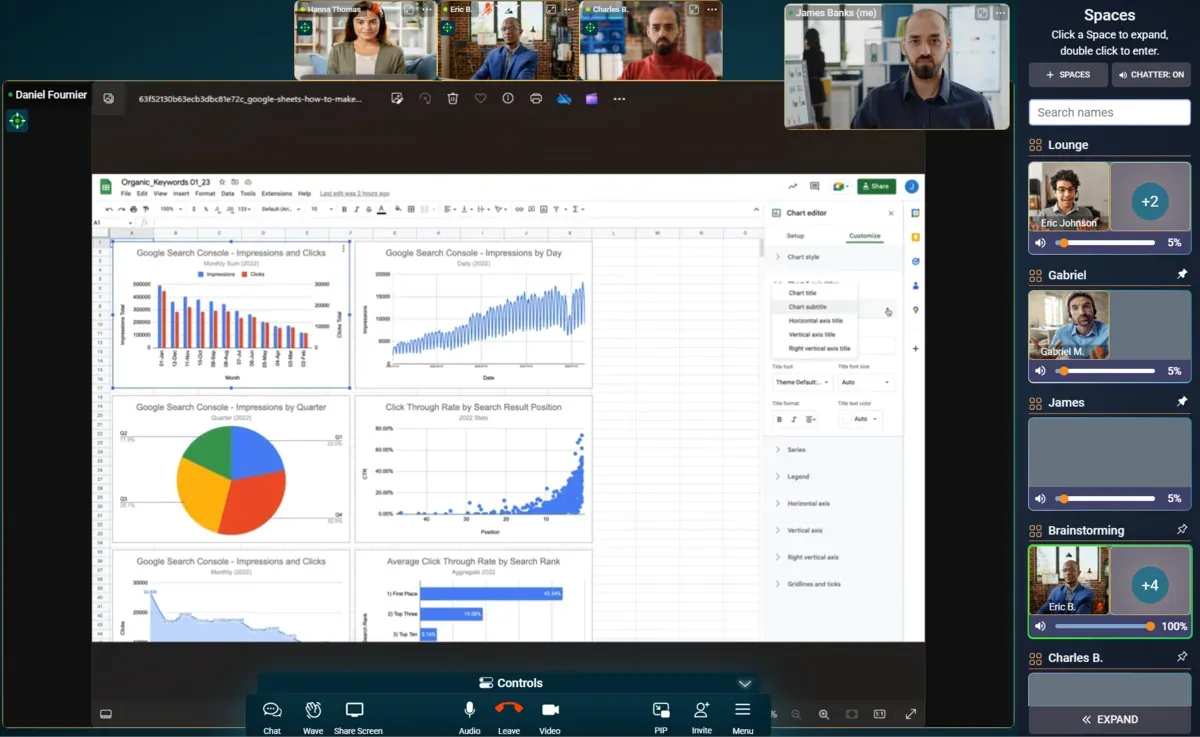
Built for Teams That Take Security Seriously
End-to-end encryption, compliance-ready, and full admin control over every workspace — all from one dashboard.
- End-to-end encryption
- SOC 2 Type II compliant
- GDPR and HIPAA ready
For Managers & Leaders
Manage Your Remote Team With Total Clarity
Kino Live turns everyday presence into productivity data. Run your distributed team from one command center — no surveillance, no busywork, just a clear picture of how work is really going.
Live team presence
See who’s clocked in, focusing, or in a Kino — updated in real time, with no status pings required.
Automatic time tracking
People clock in the moment they enter a workspace, so billable hours and attendance build themselves.
Productivity reports
Weekly hours per member and per workspace, exportable to CSV in a single click — numbers you can trust.
Roles & permissions
Decide exactly who can see and manage each workspace across your whole organization.
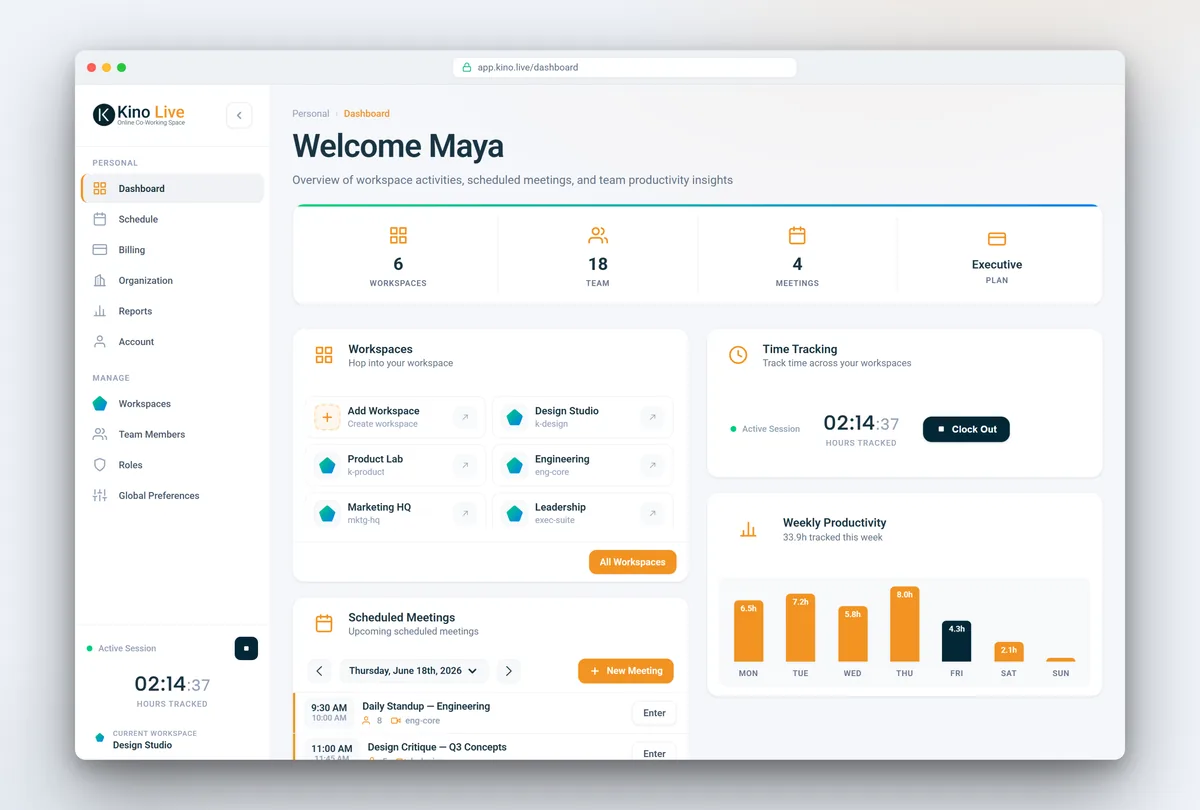
One platform for the whole workflow
From the first invite to the weekly report, everything your team needs lives in a single online office.

Time tracking & reports
Billable hours, live presence, and per-member productivity at a glance.
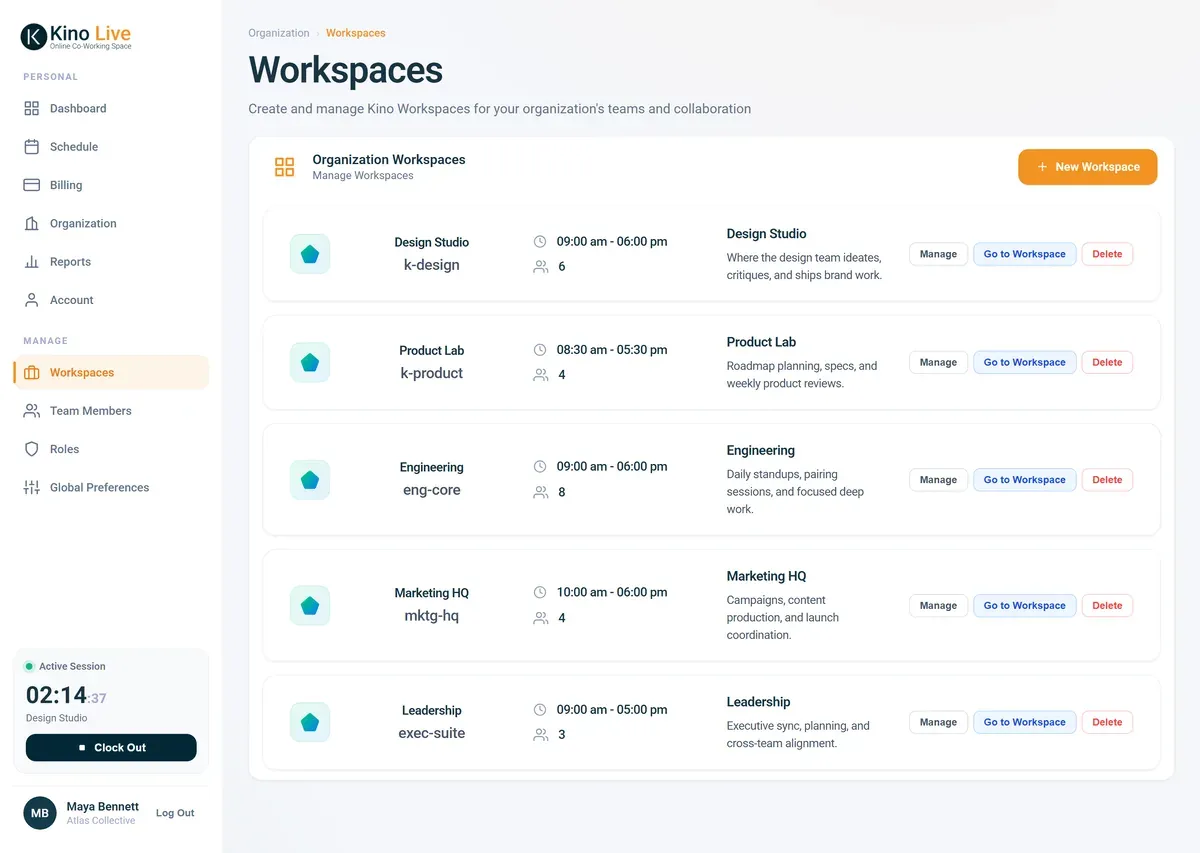
Persistent workspaces
An always-on room for every team, with its own active hours and members.
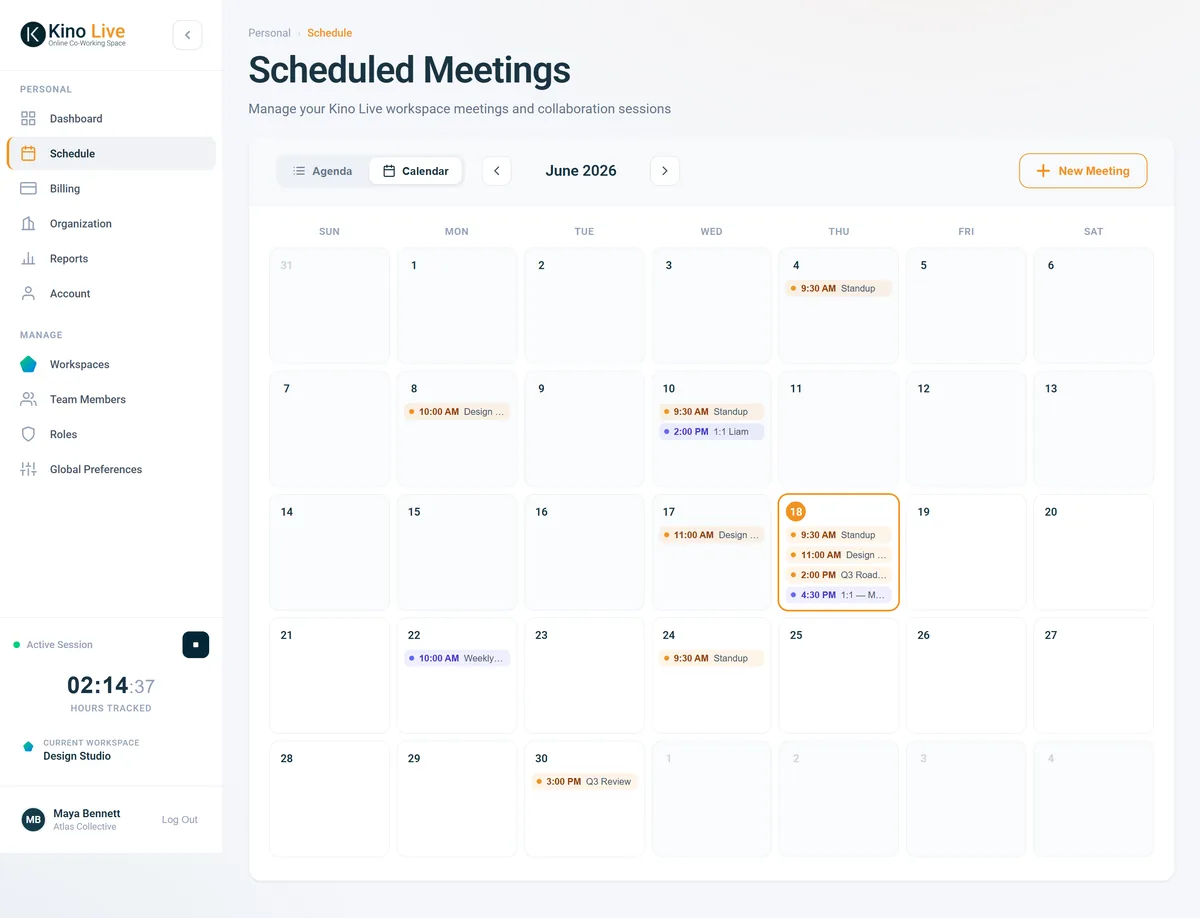
Smart scheduling
Plan Kinos and keep everything in sync with Google and Outlook calendars.
Trusted by Teams Worldwide
Real results from real teams that made the switch.
“Kino Live changed how our team collaborates in shared workspaces. The always-on presence feels natural, and productivity has noticeably improved since we made the switch.”
“As a distributed team across 5 countries, we struggled with connection and engagement. Kino Live solved this by creating shared workspaces where our team naturally gathers and collaborates.”
“The ROI was immediate. We enhanced our focus time while improving decision-making speed. The workspace eliminates typical isolation and brings back spontaneous collaboration.”
Ready to Try the Online Co-working Space?
Try Kino Live free for 14 days. See why distributed teams choose our online co-working space to stay connected and productive.
- 14-day free trial
- Cancel anytime